Written By: Ronnie Gonenc
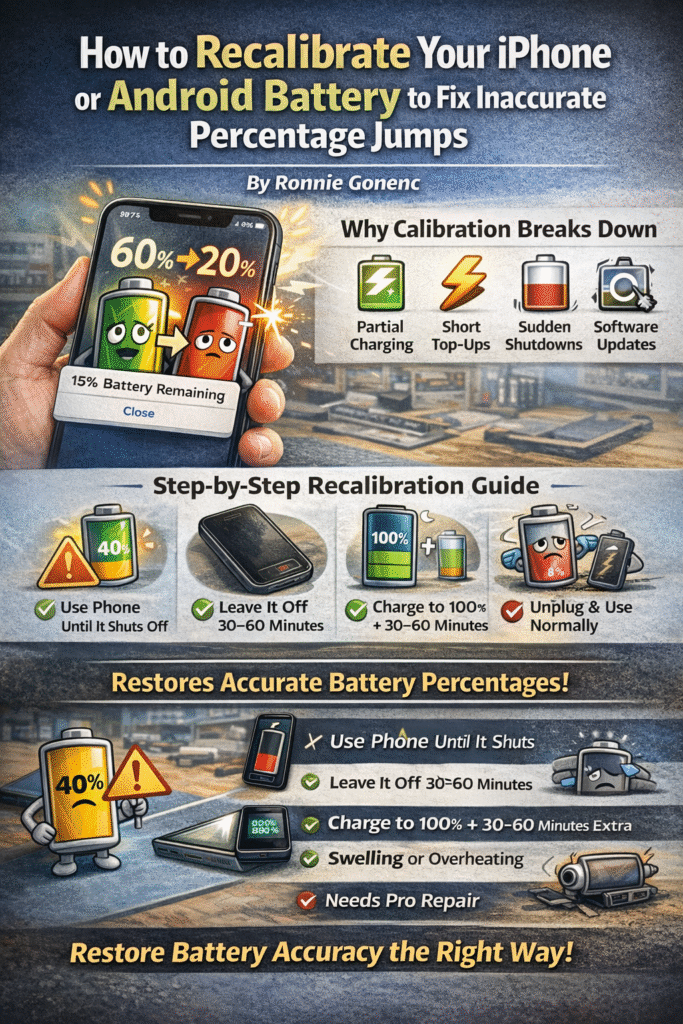
Your phone says 40%… then drops to 15%.
Or worse—your phone shuts off at 20%.
This issue is more common than most people realize, and in many cases, the battery isn’t actually failing. The problem is often battery miscalibration, where your phone’s software no longer accurately understands how much charge the battery holds.
According to Apple’s official documentation on iPhone battery health and performance, battery percentage is an estimate based on software models—not a direct measurement.
The good news? In many cases, recalibrating your battery can restore accurate percentage readings without replacing the battery.
Section 1: Why Phone Battery Percentages Become Inaccurate
Your phone doesn’t measure battery percentage directly. Instead, it estimates remaining power based on voltage, charging behavior, temperature, and usage patterns.
Google explains this process in their Android power management documentation.
Over time, this estimation can drift due to:
- Frequent partial charging (never reaching 100%)
- Constant short charging sessions
- Letting the phone die unexpectedly
- Major iOS or Android updates
- Natural lithium-ion battery aging
When the software estimate no longer matches the battery’s real behavior, you’ll see sudden percentage drops, inaccurate readings, and unexpected shutdowns.
Section 2: What Battery Recalibration Actually Fixes (And What It Doesn’t)
Battery recalibration resets your phone’s internal reference points for full and empty charge levels.
It does help with:
- Percentage jumps
- Battery stuck at one number
- Phone dying before 0%
It does NOT:
- Repair a worn-out battery
- Increase battery capacity
- Fix charging ports or internal power components
Apple confirms in their guide on understanding battery health that recalibration only affects reporting accuracy—not physical battery condition.
Section 3: How to Recalibrate Your iPhone or Android Battery (Step-by-Step)
This recalibration method works for both iPhone and Android devices and mirrors professional diagnostic procedures.
Step-by-Step Process
- Use your phone normally until it shuts off on its own
- Leave the phone powered off for 30–60 minutes
- Plug in a reliable charger and charge uninterrupted to 100%
- Keep the phone plugged in for an additional 30–60 minutes after reaching 100%
- Unplug and use your phone normally
Avoid using the phone while charging to allow voltage levels to stabilize.
For deeper technical insight, Battery University explains lithium-ion behavior in their article on prolonging lithium-based batteries.
Section 4: Common Recalibration Mistakes That Make Things Worse
At repair benches, many calibration attempts fail because of these mistakes:
- Repeating full drain cycles too often
- Using apps to force battery drain
- Charging in short bursts immediately after recalibration
- Expecting recalibration to fix a degraded battery
Battery University specifically warns against frequent deep discharges in their guide on how to properly charge lithium-ion batteries.
Recalibration should be occasional, not routine.
Section 5: How Often Should You Recalibrate Your Battery?
Recalibration is recommended only when problems appear:
- Every 3–4 months if percentage jumps occur
- After major iOS or Android updates
- When phones shut off above 10–20%
If your battery behaves normally, recalibration isn’t necessary.
Section 6: When Recalibration Is No Longer Enough
Recalibration won’t fix:
- Phones dying at 20–30%
- Batteries draining extremely fast
- Battery health below ~80%
- Swelling or overheating
- Devices that only work while plugged in
At this point, professional diagnostics are the smarter move.
If you suspect hardware issues, Fix Wireless offers professional phone diagnostics and battery replacement services. You can explore their repair options on their phone repair services page.
Section 7: Professional Battery Repair Options
If recalibration doesn’t help, these services may be needed:
Battery Replacement
A degraded battery can cause inaccurate percentages and sudden shutdowns. Learn more about smartphone battery replacement at Fix Wireless smartphone repair services.
Full Device Diagnostics
Charging port issues, power IC failures, or internal corrosion can also cause battery problems. A full inspection is available through Fix Wireless repair services.
Visit a Local Repair Shop
For in-person service, you can visit one of the local Fix Wireless locations listed on their official website.
Section 8: Final Thoughts
Battery percentage jumps are frustrating—but they’re often a software issue, not immediate battery failure.
Recalibrating your phone battery can restore accurate readings when done correctly. And when it doesn’t work, it provides a clear signal that professional repair or battery replacement is the next step.
Knowing the difference saves time, money, and unnecessary stress.
FAQs
Does recalibrating damage my battery?
No, if done occasionally. Doing it too often can increase wear.
Should I let my phone hit 0% regularly?
No—only when recalibration is needed.
Can apps recalibrate my battery automatically?
No. Apps cannot reset system-level battery calibration.
Does fast charging affect battery accuracy?
Not directly, but excess heat accelerates battery aging.
Disclaimer
This article is for informational purposes only. Battery performance varies by device age and usage. If issues persist, consult a qualified phone repair professional such as Fix Wireless for accurate diagnostics and service.