Written By: Ronnie Gonenc
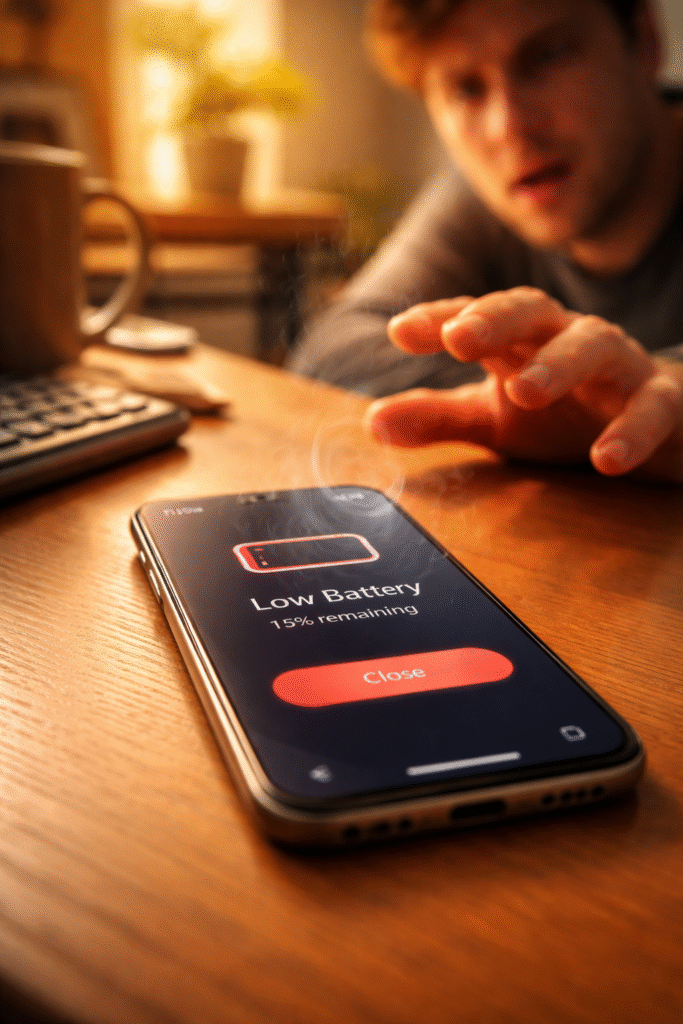
You pick up your phone and it’s warm. Not “just finished a video call” warm — genuinely hot. The kind of heat that makes you shift it between hands. Then you glance at the battery. It was at 75% twenty minutes ago. Now it reads 53%. You haven’t opened a game. You haven’t streamed anything. The phone is cooking itself and bleeding power while doing absolutely nothing you asked it to.
When your phone gets hot and battery drops fast at the same time, something inside the device is drawing massive power without your knowledge. Either a software process spiraled out of control and refuses to stop, or a hardware component started failing and now pulls current it shouldn’t. Both feel identical from the outside — excessive heat paired with rapid drain. But the fix for each is completely different.
At Fix Wireless in Connecticut, this combination — heat plus rapid drain — shows up constantly. Customers assume the battery died. Sometimes it did. But just as often, the battery is perfectly healthy. Something else is forcing it to dump its charge at five times the normal rate. This guide separates the software causes from the hardware ones and walks you through exactly what to check.
Section 1: Software Runaway — When an App or Process Won’t Stop Consuming Power
What a Runaway Process Looks Like
Every app on your phone consumes CPU cycles when active. Most apps release those cycles when you close them or switch away. A runaway process breaks that cycle. The app or system service continues consuming maximum CPU power in the background — indefinitely.
The CPU working at full speed generates significant heat. That heat spreads through the logic board to the back panel. Simultaneously, the battery drains rapidly because the processor draws peak current nonstop. The phone gets hot and battery drops fast as a direct result.
How to Identify the Culprit
Check battery usage stats. On iPhone: Settings > Battery. Scroll down to see which apps consumed the most power in the last 24 hours. On Android: Settings > Battery > Battery Usage. Look for anything consuming a disproportionate share — 30%, 40%, or more from a single app you barely used.
Look for background activity. On iPhone, the battery screen shows “Background Activity” under each app. If an app you haven’t opened consumed significant battery through background activity, it’s running a process it shouldn’t.
Check for stuck location services. A navigation app that keeps GPS active after you arrive eats battery aggressively. The GPS radio draws substantial power and generates heat near the top of the phone. Go to Settings > Privacy > Location Services and review which apps accessed your location recently.
Software Fixes That Actually Work
Force-close the offending app. Swipe it away from the app switcher. On iPhone, swipe up from the bottom and flick the app card upward. On Android, use the recent apps button and swipe the card off screen.
Restart the phone. A full power-off and power-on clears stuck processes from memory. This resolves the majority of software runaway cases. If the heat and drain stop after restarting, a rogue process caused it.
Update or delete the problematic app. If the same app keeps showing up in battery stats, check for updates. Developers frequently patch background process bugs. If no update exists and the problem repeats, delete the app entirely.
Reset all settings. On iPhone: Settings > General > Transfer or Reset iPhone > Reset > Reset All Settings. On Android: Settings > System > Reset Options > Reset All Settings. This clears corrupted system preferences without erasing your data. It forces all background services to rebuild from clean defaults.
If the phone cools down and battery drain normalizes after these steps, the problem was software. Monitor over the next few days. If heat and drain return, the cause is likely hardware.
Section 2: Hardware Failures — When a Failing Component Silently Drains Your Battery
The Components That Cause Heat and Drain Simultaneously
When software troubleshooting makes no difference — the phone still overheats and drains rapidly after restarts and resets — a physical component is pulling current it shouldn’t. Three hardware failures produce this exact symptom combination.
Degraded battery with increased internal resistance. As lithium-ion cells age, internal resistance rises. Higher resistance means the battery generates more heat while delivering less usable power. The phone reads the unstable voltage as rapid percentage drops. The battery feels hot to the touch through the back panel. Checking battery health reveals the problem — anything below 80% maximum capacity strongly suggests the battery itself is the issue.
Short circuit on the logic board. A micro-short from liquid exposure, a hard drop, or corroded traces creates a parasitic current path. Electricity flows continuously through a connection that shouldn’t exist. The affected area of the board heats up. The battery drains even when the phone sits idle with the screen off. Our guide on logic board failures explains how micro-shorts cascade into broader component damage when left unaddressed.
Failing power management IC (PMIC). This chip regulates how current flows from the battery to every component. When the PMIC malfunctions, it allows unregulated power draw. Components receive more voltage than they need. Excess energy converts to heat. The battery depletes rapidly because current flows without proper throttling.
Warning Signs That Confirm Hardware Failure
Watch for patterns that software issues never produce:
- Heat during idle with screen off. Place the phone face-down on a cool surface for 30 minutes with the screen off. Pick it up. If the back feels warm, something draws power even during complete idle. Software processes sleep when the screen turns off. Hardware shorts don’t.
- Battery percentage jumps erratically. Drops from 65% to 40% in seconds, then bounces to 55% on the charger. The battery’s internal gauge lost accuracy because the cells degraded unevenly.
- Localized hot spots. The heat concentrates in one specific area — upper left, lower center, near the camera. That localized heat points to a specific chip or connection on the logic board pulling excess current.
- Phone shuts off above 20%. The battery reports remaining charge but can’t deliver enough voltage to keep the phone running. Sudden shutdowns at 25% or 30% confirm degraded cells.
If any of these match your experience, bring the phone in for a hardware diagnostic. Our smartphone repair team can isolate the exact failing component.
Section 3: What Repair Looks Like — and Why Timing Matters
Battery Replacement
For the majority of heat-plus-drain cases, a new battery solves the problem. At Fix Wireless, we stock high-quality replacement batteries for iPhones and Samsung devices across all recent models. Most replacements finish same-day, often within an hour. The phone runs cooler immediately and lasts a full day again.
Board-Level Diagnosis and Repair
If a fresh battery doesn’t fix the heat and drain, the technician moves to board-level inspection. Using thermal imaging, we identify which chip or trace generates the excess heat. Micro-soldering tools let us repair or replace the specific component — whether it’s a PMIC, a shorted capacitor, or a corroded trace.
Board-level repair preserves your data and saves the phone. It costs substantially less than replacement. And it fixes the actual root cause instead of masking symptoms.
Why You Shouldn’t Wait
A phone that runs hot and drains fast stresses every internal component simultaneously. The elevated temperature degrades the battery faster. Excess current ages solder joints on the logic board. Meanwhile, sustained heat weakens adhesives holding the screen and back glass in place.
What starts as a single failing component cascades into multiple failures over weeks and months. We’ve seen phones come in for what should have been a simple battery swap but needed screen repair and board work because the customer waited too long. A battery that overheated for three months softened the display adhesive enough to cause separation. Early repair prevents that chain reaction.
According to the U.S. Consumer Product Safety Commission, overheating lithium-ion batteries in consumer electronics pose documented fire and burn risks. Addressing heat issues promptly isn’t just about convenience — it’s a safety decision.
Getting Started
Get a quick estimate through our instant quote tool before visiting. Or walk into our New Haven or Hamden location for a same-day diagnostic. Our common repair questions and device repair FAQs cover warranty details and turnaround expectations.
Section 4: Conclusion and Final Thoughts
A phone that gets hot and drops 20% battery in minutes is telling you something urgent. Either a software process ran away and won’t stop consuming CPU power, or a hardware component started failing and silently drains current around the clock.
Start with software. Check battery usage stats. Force-close suspicious apps. Restart the phone. Reset all settings. These steps cost nothing and resolve the majority of runaway process cases.
But if the phone stays hot after a restart — especially during idle with the screen off — the problem lives in the hardware. A degraded battery, a shorted trace on the logic board, or a failing power management IC won’t fix itself through settings menus. Professional diagnosis identifies the exact component, and the repair typically finishes the same day.
Don’t adapt to the heat. Don’t carry a charger everywhere and accept two-hour battery life as normal. A phone running that hot actively damages itself with every passing day. Early repair keeps the fix simple and affordable. Waiting turns a single-component failure into a multi-system breakdown.
If your phone runs hot and drains fast, contact Fix Wireless or stop by either Connecticut location. We’ll pinpoint the cause and give you honest options — whether that’s a battery swap, a board repair, or a recommendation to trade up to a replacement device.
FAQs
Heat and Drain Questions
Is it normal for a phone to get warm during use?
Mild warmth during gaming, video calls, or GPS navigation is normal. The processor works hard during those tasks and generates heat. What isn’t normal is heat during light use — texting, scrolling social media, or sitting idle. If the phone feels hot during basic tasks, something draws excess power.
Can a phone charger cause overheating?
Yes. Low-quality chargers deliver inconsistent voltage that stresses the battery and charging circuit. Always use manufacturer-certified chargers or reputable third-party options. If overheating only occurs during charging, try a different cable and adapter before assuming a phone hardware issue.
Does closing all background apps help with battery drain?
Not usually. Force-closing apps actually increases battery use because the system spends energy reloading them. Only close an app if battery stats show it consuming a disproportionate share of power. Otherwise, let the operating system manage background apps on its own.
Repair Questions
How do I know if the battery or the logic board caused the problem?
Start with battery health. Below 80% maximum capacity points strongly to the battery. If health reads above 85% but the phone still overheats and drains during idle, the logic board likely has a short or PMIC issue. Our technicians test both during every heat-related diagnostic.
How much does a battery replacement cost at Fix Wireless?
It varies by phone model. Get an exact number through our instant quote tool. Most smartphone battery replacements fall in a very affordable range — far less than a new phone.
My phone gets hot near the camera area — what does that mean?
Localized heat near the camera usually points to a specific chip on the logic board generating excess current. The image signal processor, modem, or a nearby voltage regulator may have a failing solder joint or micro-short. Board-level diagnosis with thermal imaging identifies the exact chip. This differs from general warmth across the whole back panel, which more commonly points to battery degradation.