Written By: Ronnie Gonenc
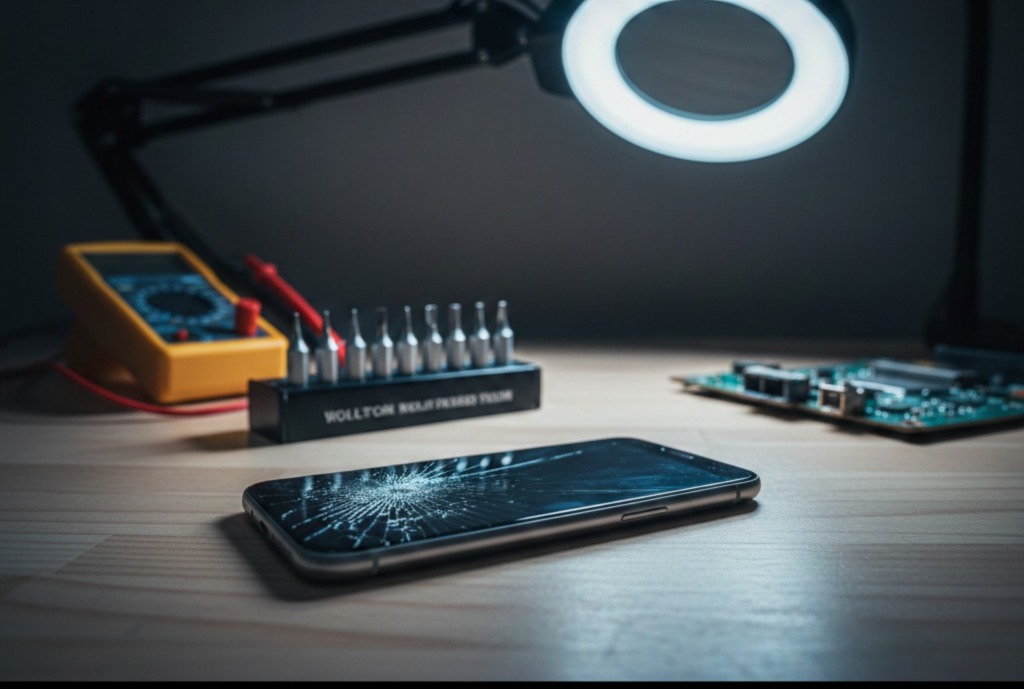
We’ve all been there: a slight lag when opening an app, a screen that feels a bit warmer than usual, or a tiny hairline crack that “doesn’t really bother anything.” It is tempting to push your device to its absolute limit, especially when a new flagship phone can cost upwards of $1,000. However, as experts in the mobile repair industry with years of hands-on experience at CT Fix Wireless, we’ve seen how a $50 fix today can easily turn into a $300 “total loss” tomorrow.
Your smartphone is essentially a high-powered computer condensed into a palm-sized frame. Because the components are so tightly packed, a failure in one area—like a degrading battery or a microscopic crack—can quickly cascade into catastrophic motherboard failure. According to industry data from Business Research Insights, over 70% of global mobile users experience battery or screen-related issues annually.
In this guide, we will break down the five most critical “red flags” that indicate your device is crying out for professional help. Taking action now isn’t just about convenience; it’s about protecting your data and your wallet.
1. The “Ghost” in the Machine: Unresponsive or Ghost Touching
If your phone starts opening apps on its own, typing random characters, or refusing to acknowledge your swipes, you’re experiencing what the industry calls “Ghost Touching.”
Why This Happens
This usually points to a failing digitizer—the thin layer of glass integrated into your screen that converts your touch into digital signals. While it might feel like a software bug, it is almost always a hardware integrity issue. According to a study by the Canadian Institute for Device Repairs, screen-related damages account for over 50% of all professional repair requests.
The Professional Fix
Often, users try to “clean” the screen or restart the phone, but if the internal connectors are loose or the digitizer is compressed, you need a physical replacement. At our iPhone Repairs section, we frequently see this issue after a minor drop that didn’t even break the outer glass but shifted the internal layers.
2. Excessive Heat (Even When You Aren’t Using It)
It’s normal for a phone to get warm while playing a high-intensity game or charging. However, if your phone feels hot to the touch while sitting idle in your pocket or on your nightstand, you have a serious problem.
The Hardware Risk
Persistent overheating is a “silent killer” for internal electronics. Excessive heat can cause:
- Solder Joint Fatigue: Microscopic connections on the motherboard can literally melt or crack.
- Processor Throttling: Your phone will purposefully slow down to stay cool, leading to permanent lag.
- Safety Hazards: A battery that stays hot is at risk of “thermal runaway.”
According to reports from Asurion, lithium-ion batteries typically have a lifespan of 2 to 3 years. If yours is overheating frequently, the internal chemical resistance has likely increased to a dangerous level. You can check our Other Device Repairs page to see how we handle thermal diagnostics for various brands.
3. The “Expanding” Phone: Screen or Back Panel Lifting
This is the one sign you must never ignore. If you notice a gap between the screen and the frame, or if the back of your phone looks slightly “pregnant” or bloated, your battery has failed.
The Science of Battery Swelling
Lithium-ion batteries produce gas as a byproduct of chemical degradation or overcharging. This gas is trapped inside the battery casing, causing it to swell.
Warning: A swollen battery is a fire hazard. Do not attempt to “press” the screen back down, as puncturing the battery can lead to an immediate fire or explosion.
If you see this, stop using the device immediately and contact us for a safe disposal and replacement.
4. Erratic Charging and Port Connection Issues
Do you have to wiggle your charging cable at a “magic angle” just to get a connection? While many people assume they just need a new cable, the culprit is usually the charging port (USB-C or Lightning port).
Common Causes
- Mechanical Wear: Plugging and unplugging thousands of times eventually loosens the port from the motherboard.
- Corrosion: Even tiny amounts of moisture (like steam from a shower) can corrode the pins.
- Debris: Pocket lint can become compacted inside the port, preventing a full connection.
While you can try to gently clean the port with a non-conductive toothpick, professional repair is often needed to re-solder the connection or replace the port entirely. For larger devices, check our Tablet Repairs section, as charging ports on tablets are particularly prone to stress-related damage.
5. Rapid Battery Drain and Random Shutdowns
If your phone is at 40% and suddenly dies, or if it drops 20% in ten minutes, your battery’s “health” has plummeted.
Why DIY Calibration Rarely Works
Many online “hacks” suggest calibrating the battery by draining it to 0%. However, modern smartphones use sophisticated Battery Management Systems (BMS). If the hardware cells are physically degraded, no amount of software resetting will fix it. In 2025, with the rise of Right to Repair laws, it is easier than ever for professionals to swap these out with high-quality OEM parts.
If you aren’t sure if your battery is the problem or if it’s a motherboard short, you can get an instant quote widget estimate to see the cost of a professional diagnostic and repair.
Expert Recommendations: What Should You Do Now?
If your device is showing even one of these signs, the clock is ticking. Here is a quick checklist for your next steps:
- Backup Your Data: Before a hardware failure becomes permanent, ensure your photos and contacts are in the cloud.
- Consult a Professional: A certified technician can use a multimeter to check for voltage irregularities that aren’t visible to the naked eye.
- Evaluate Repair vs. Replacement: Sometimes, the cost of repair is close to the value of the phone. In those cases, we recommend checking out our Buy and Sell options to trade in your damaged device for a refurbished model.
Statistics to Consider
- 85% of adults worldwide now own a smartphone, making the demand for quality repair higher than ever (Business Research Insights).
- 5.2% Annual Growth: The repair market is expanding as people realize that fixing a device is more sustainable and cost-effective than buying a new one every 18 months (Deep Market Insights).
Conclusion: Don’t Wait Until It’s a Paperweight
Your phone is your lifeline—it’s how you work, stay in touch with family, and manage your life. Ignoring small warning signs is a gamble where the stakes are your data and your safety. By catching these issues early, you can extend the life of your device by years.
Whether it’s a simple screen swap or a complex battery replacement, the team at CT Fix Wireless is here to help you get back online.
FAQs
Q: Can I fix a cracked screen with a DIY kit?
A: While kits exist, modern screens are often fused with high-strength adhesives. Without professional heat guns and suction tools, you risk damaging the delicate ribbon cables or the FaceID/TouchID sensors.
Q: Is it worth repairing an older phone?
A: Generally, if the repair cost is less than 50% of the cost of a used version of that same phone, it’s a smart investment—especially to recover your data.
Disclaimer
The information provided in this post is for educational purposes only. Handling damaged lithium-ion batteries or opening electronic devices carries risks of fire or electric shock. Please consult a professional technician before attempting any hardware modifications.